
How do I change the products or scents in my subscription?Updated 8 months ago
Swapping Products:
You can change your preferred scents at any time in your account dashboard:
Login to your account dashboard.
Update your scents by clicking ‘Edit’ next to the product you want to change.

Search for the products you’d like to change your scent to.
Click ‘Add to Box’.

Make sure to click ‘Update Squatch Box’ to save your changes.
Removing Products:
You can remove any items in your subscription by either:
Option 1:
*Recommended if you would like to remove the entire product from your subscription
Click ‘Manage Subscriptions’ under your Upcoming Orders.

Select the product you want to remove, then click ‘Cancel Subscription’.

Follow the cancellation steps that follow.
To learn how to fully cancel your subscription, check out our Help Center article here.
Option 2:
*Recommended if you would like to remove some of the items in your subscribed bundle
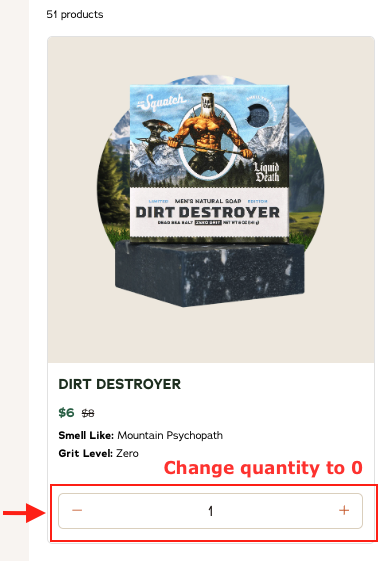
Click ‘Edit’ next to the product you want to remove.
To remove the items, reduce the quantity of the existing product to 0.
Note: In order to receive your new scents in your next refill, please change them BEFORE your next renewal date. Refills are processed at 3AM PST the day your subscription is set to renew. You'll receive an email notification 5 days prior to your next subscription refill.