
How do I cancel my subscription?Updated 8 months ago
We hate to see you go, but we get that sometimes these things don't work out. You can cancel your subscription by:
1. Login to your account dashboard.
2. On the Overview page, click 'Manage Subscription' in the bottom right corner.
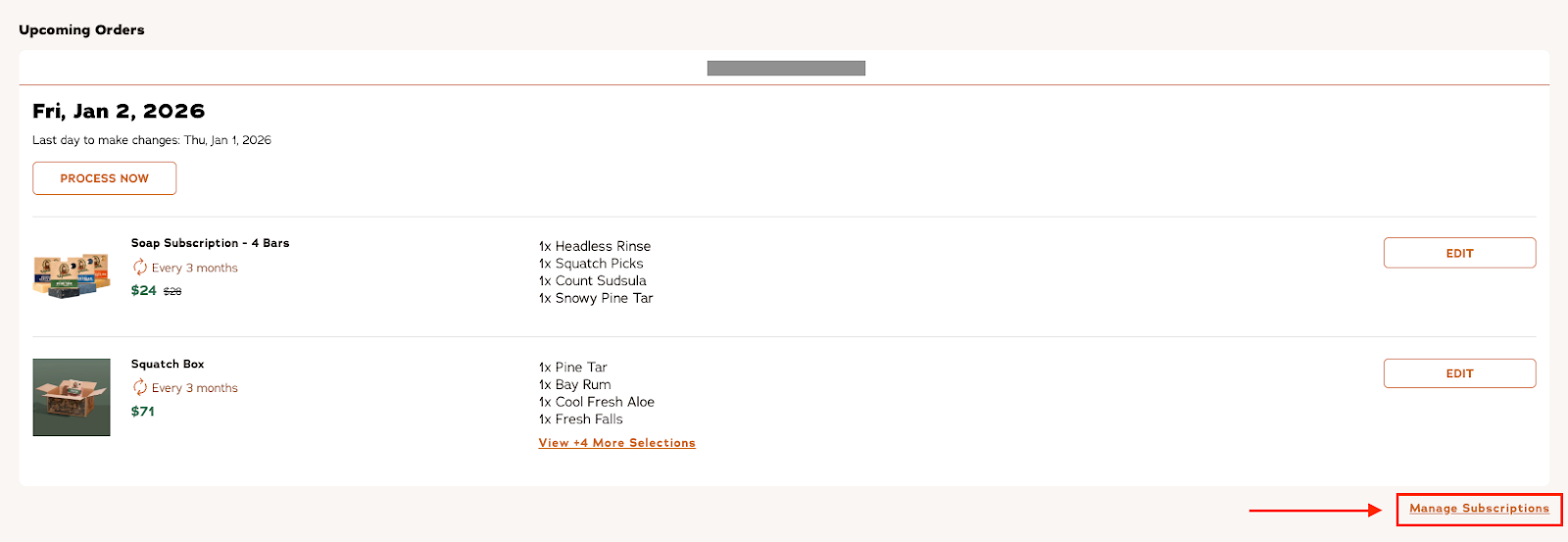
4. In the pop-up menu, confirm which subscription item you'd like to cancel and select 'Cancel Subscription'.
5. Provide the cancellation reason, then continue through the cancellation steps by clicking 'Next'.
6. If you have multiple items in your subscription, you will need to follow these steps for each subscription.
Once you complete the cancellation steps, you will unsubscribe from any future recurring purchases.
If you need assistance canceling your subscription, you can reach out to our team.